

Pay production teams for every piece, exactly
Record each employee's output, let Nexa People calculate the amount at the agreed rate, and move it from pending to approved, then onto the payslip and to paid, with a clear record of who made what and when.
- Quantity × rate
- Approve, then payroll pays
- Dated rate card

Why it matters
Fair pay for output, without the tally sheets
Record output, price it at the agreed rate and approve it for pay, so production teams are paid for every piece. Quantity times rate does the maths, and every approved entry flows into payroll with a clean trail.
Calculated, not added up
Quantity times rate, rounded and recalculated on every edit, so nobody does the maths by hand.
Approved before it's paid
Only approved entries reach a payslip, so nothing unreviewed is paid unless you turn approval off.
Workers told of each decision
Employees hear when an entry is approved or rejected, in the app and by email.
01Record output
Log output in seconds, priced instantly
Record the employee, the type of work, the quantity and the date. The rate comes from your rate card, the amount is previewed as you type and stored by the server, and a pending entry is priced again whenever it is edited.
- Employee, category, type, quantity and date
- Amount = quantity × rate, rounded to two decimals
- Recalculated automatically on every edit
- Managers see only their own team's entries
02Approve and pay
From pending to paid, with a clean trail
Approvers approve or reject each entry, approved entries are paid on a payslip, and invalid jumps are refused. Separate permissions control who can approve and reject.
- Pending, approved, rejected and paid statuses
- Separate approve and reject permissions
- Notifications to the employee at every step
- Approval required, or approve automatically
- 210.00
Yusuf Rahman · shirt collars
420 × 0.50
- 153.00
Grace Okafor · button fitting
510 × 0.30
- Approved
Sofia Rossi · sleeve stitching
380 × 0.60
03Rates and units
A rate card your supervisors can trust
Group types of work into categories, give each type its unit and a default rate, and set an employee's own rate where it differs. Every rate runs from an effective date, so a change is a new rate rather than an edit to history.
- Categories and types, each type with its unit
- Default rates, with per-employee rates where needed
- Rates by effective date; used rates are locked
- Pay on the Salary payslip, or a Piece Work payslip run
- 0.50
Shirt collars
Per piece
- 0.60
Sleeve stitching
Per piece
- 3.00
Packing
Per dozen
- 0.30
Button fitting
Per piece
See piece work turn into payable amounts.
Free for 24 hours
How it works
From setup to done, step by step
Set it up once with our team. After that, it runs every day on its own.
- 1
Set your rates
Add types of work with their unit and a default rate, plus any employee's own rate.
- 2
Record output
Log the type and quantity for each employee and date; the rate and amount are filled in.
- 3
Approve
Approvers approve or reject, and the employee is notified.
- 4
Pay
Approved entries are paid on a payslip, and become paid when it is disbursed.
Neko AI
Ask Neko how production pay is tracking
Neko reads piece work entries and rates for you, and prepares approvals for you to confirm.
See how Neko works“How many pieces did the sewing line do this week?”
12,840 pieces this week across 22 employees, worth 6,420.00.
“Approve this week's pending entries for the Riverside plant.”
18 pending entries at Riverside plant, totalling 2,940.00. Ready to approve once you confirm.
“Who were the top three producers last month?”
Sofia Rossi, Yusuf Rahman and Grace Okafor, with 9,200, 8,750 and 8,410 pieces.
Everything included
Every detail of piece work, covered
- Automatic amounts
- Quantity × rate, recalculated on every edit.
- Rate card
- Default and per-employee rates by date.
- Units
- Pieces, dozens and your own units.
- Clear statuses
- Pending, approved, rejected, paid.
- Approval control
- Require approval, or approve automatically.
- Separate permissions
- Approve and reject are controlled separately.
- Notifications
- Employees hear about every change.
- Pay with payroll
- Pay on the Salary payslip, or run Piece Work payslips on their own.
- Team scoping
- Managers see their own team's entries.
One platform
Piece work isn't all Nexa People does

Configurable payroll that reads approved attendance, leave and overtime, and shows its working on every payslip.

Biometric, mobile and location-verified check-ins, judged against each person's shift and ready for payroll.
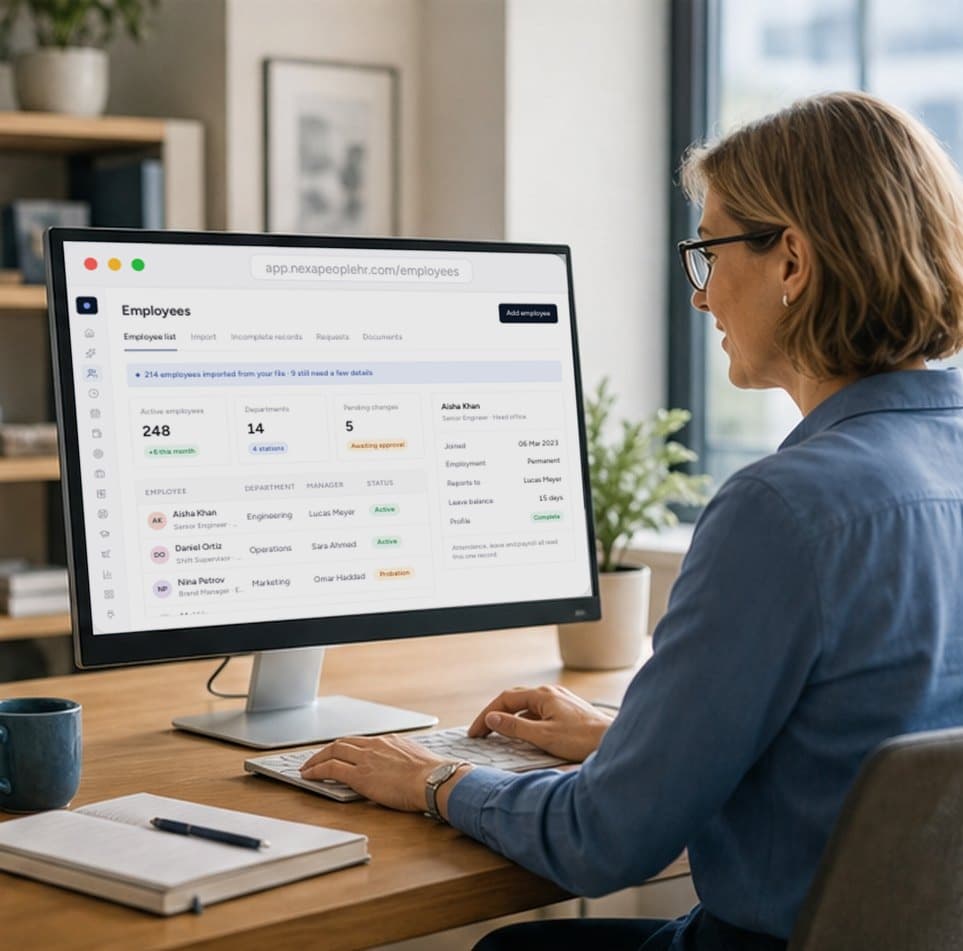
One record for every employee, kept accurate by approved changes and shared by every module.
Start free today
Pay production teams for every piece, exactly
Record output, let quantity times rate do the maths, and approve it for pay with a clean trail. Start free, or talk to sales about your rate card.
- 01Automatic amounts
- 02Approve, then pay
- 03Clean audit trail
Quantity multiplied by the rate per unit, rounded to two decimals. It's calculated as you type and recalculated whenever the entry is edited.
Yes. Each type of work on the rate card has a default rate and, where needed, an employee's own rate, each effective from a date. Entries take their rate from the card.
You decide. Entries can require approval, moving from pending to approved or rejected; with approval off, new entries are created already approved. Approved entries are paid on the employee's payslip.
Yes. Piece work is paid on a payslip: the Salary payslip, or a separate Piece Work payslip run when Pay With Payroll is set to No. An entry becomes paid when its payslip is disbursed. There is no manual pay step.
Yes. Employees are notified in the app, and by email when it's set up, when an entry of theirs is approved or rejected, and each paid entry appears as its own line on their payslip.